Every station of the books, with its real screen
This is Daftrix from the inside, station by station. The screenshots are real, with demo data.
-
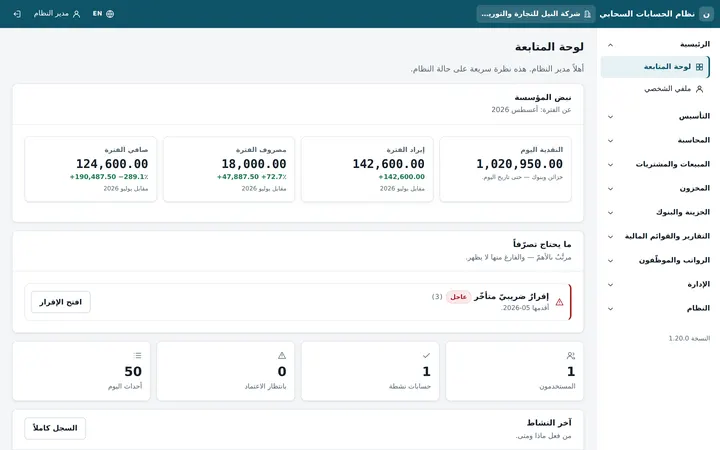
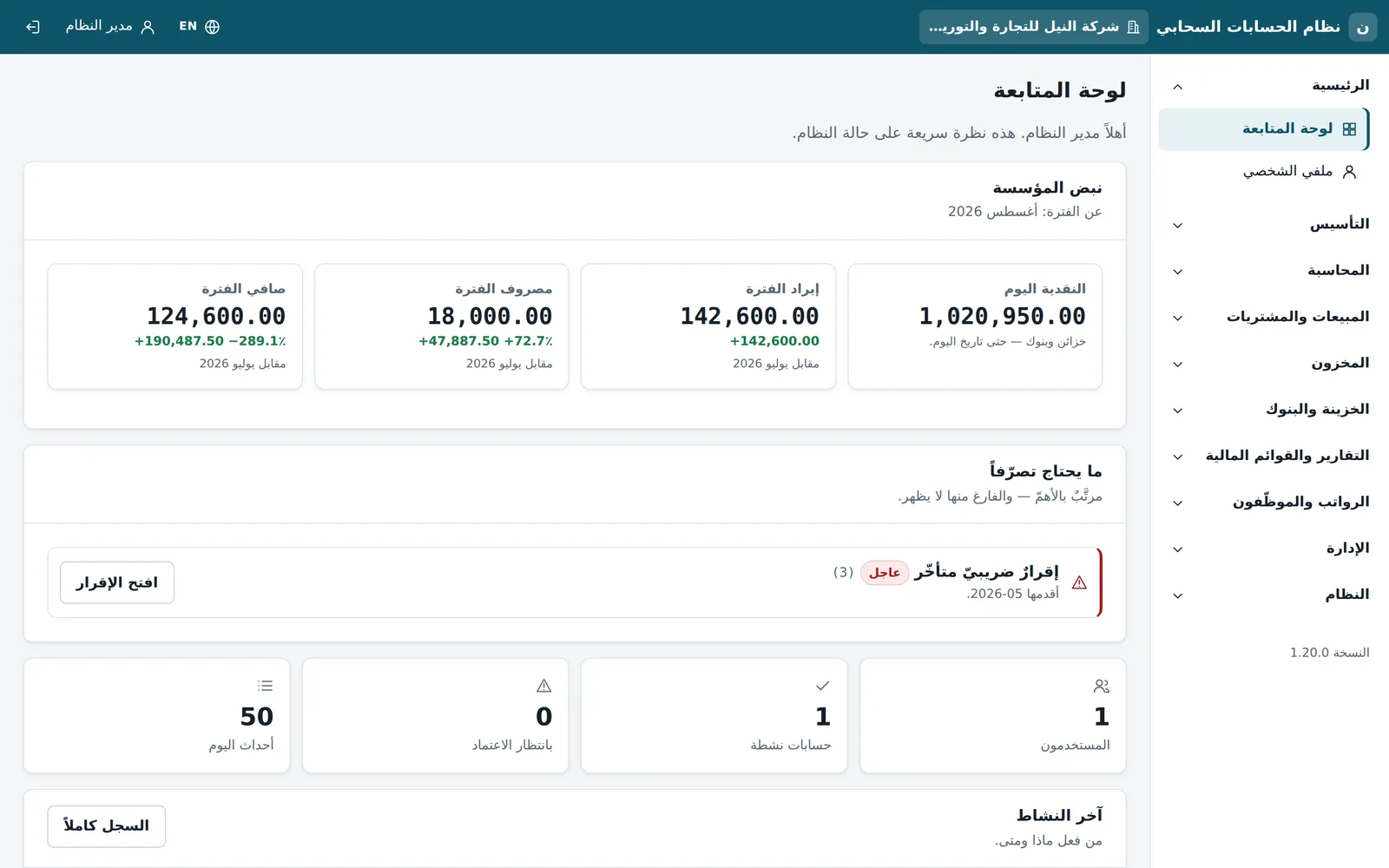
Dashboard
The first screen a finance manager opens: the company's pulse on one page.
- Cash today across tills and banks
- Period revenue, expenses and net against the previous period
- What needs action, ranked, such as an overdue tax return
- Users, items awaiting approval and recent activity
-
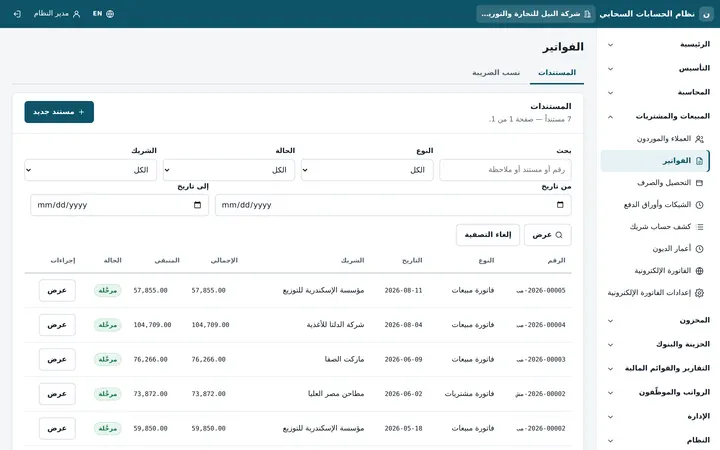
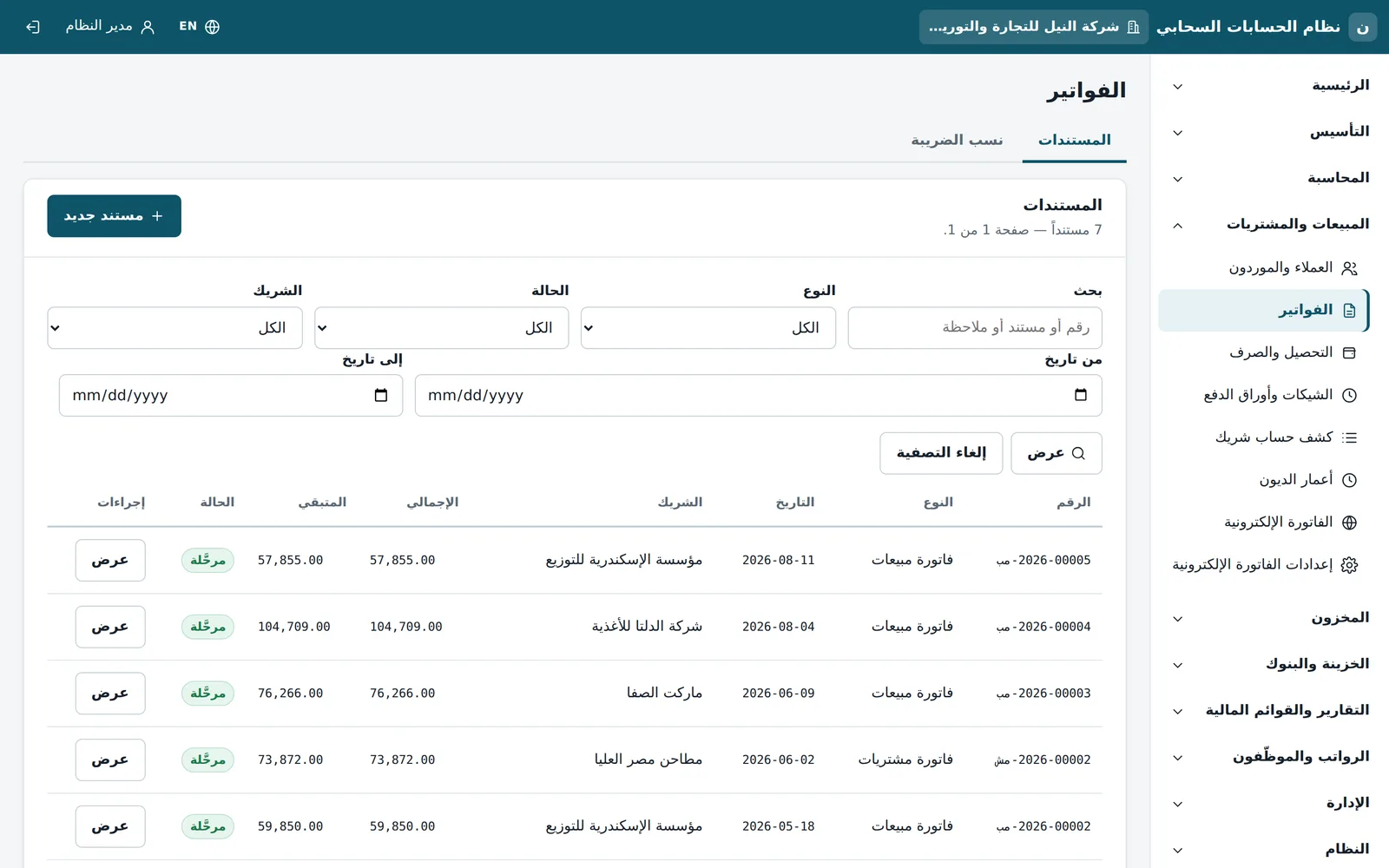
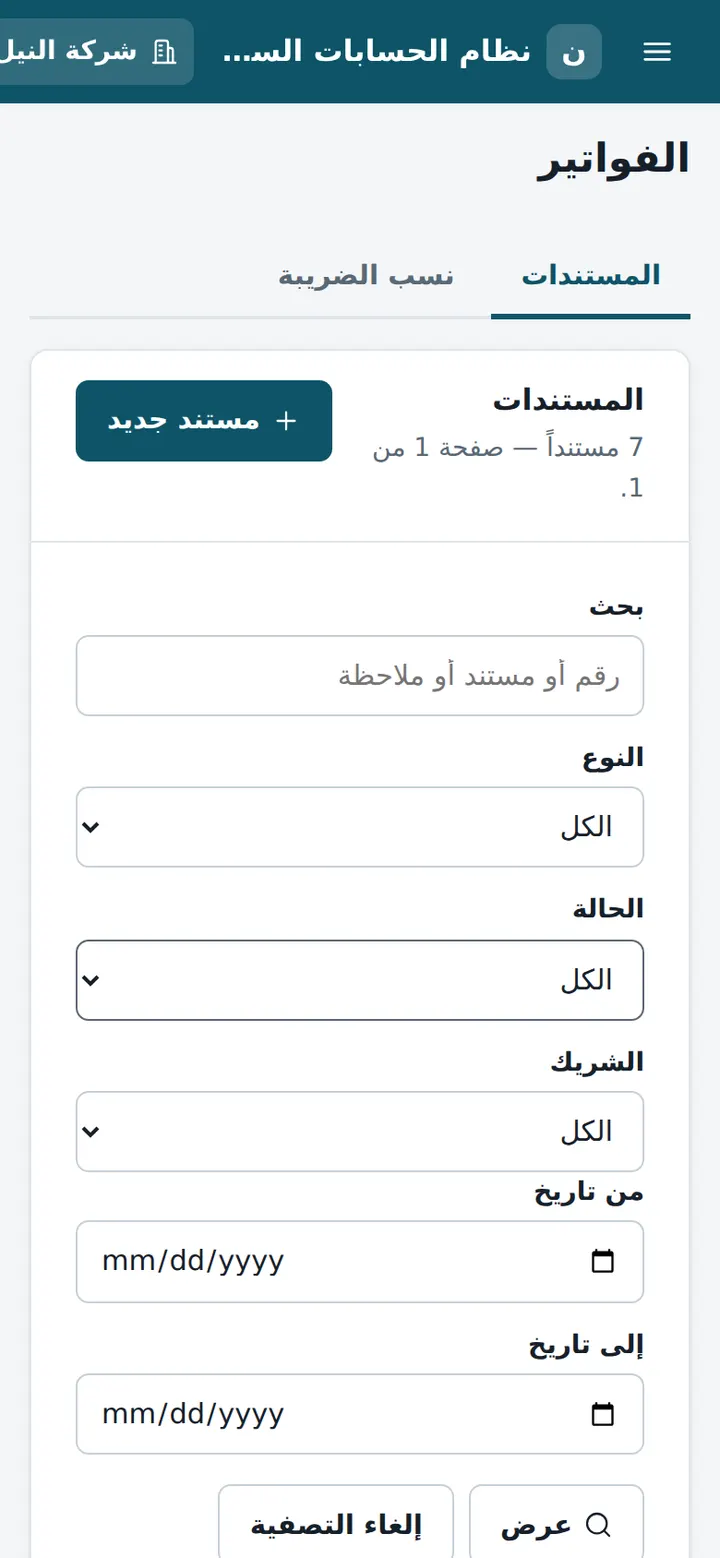
Invoices and e-invoicing
Every sales or purchase invoice is one document that posts its entry and updates the partner's balance.
- Sales and purchase invoices with partner, total, balance due and status
- E-invoicing and its settings from the same menu
- Partner statements and aging, collections, payments and cheques
-
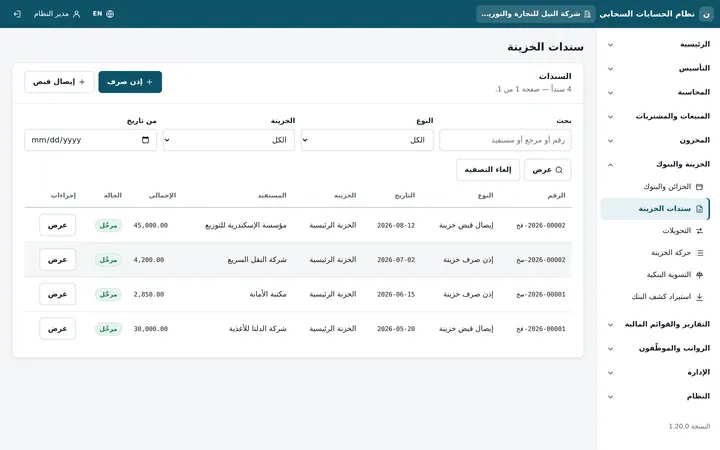
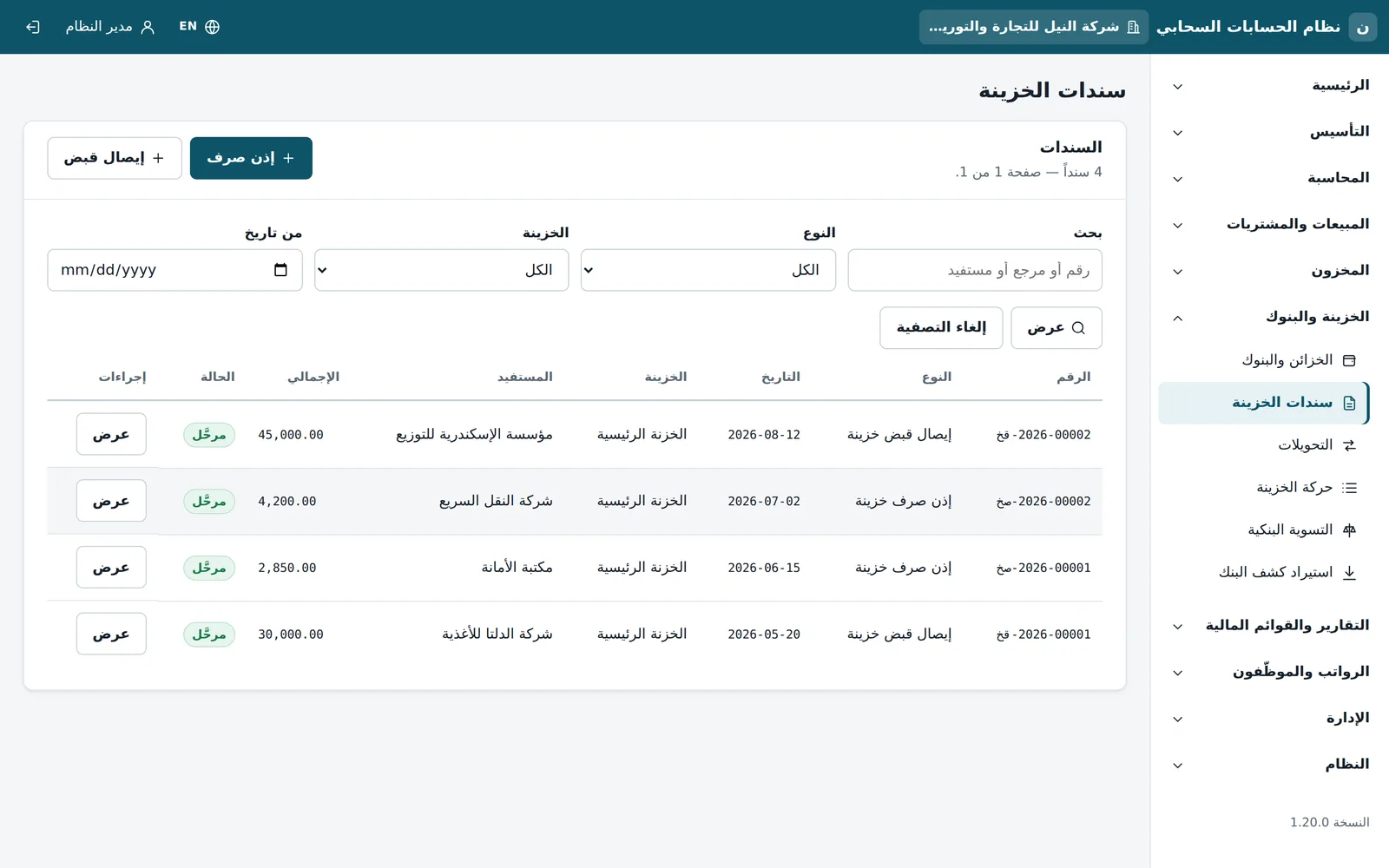
Cash and banks
All cash moves on vouchers; no amount moves without a document.
- Receipts and payments by till and payee
- Transfers between tills and banks, and movement per till
- Bank statement import and bank reconciliation
-
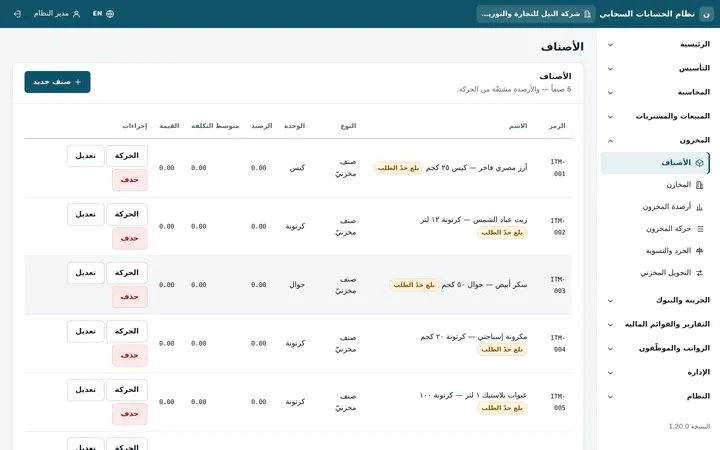
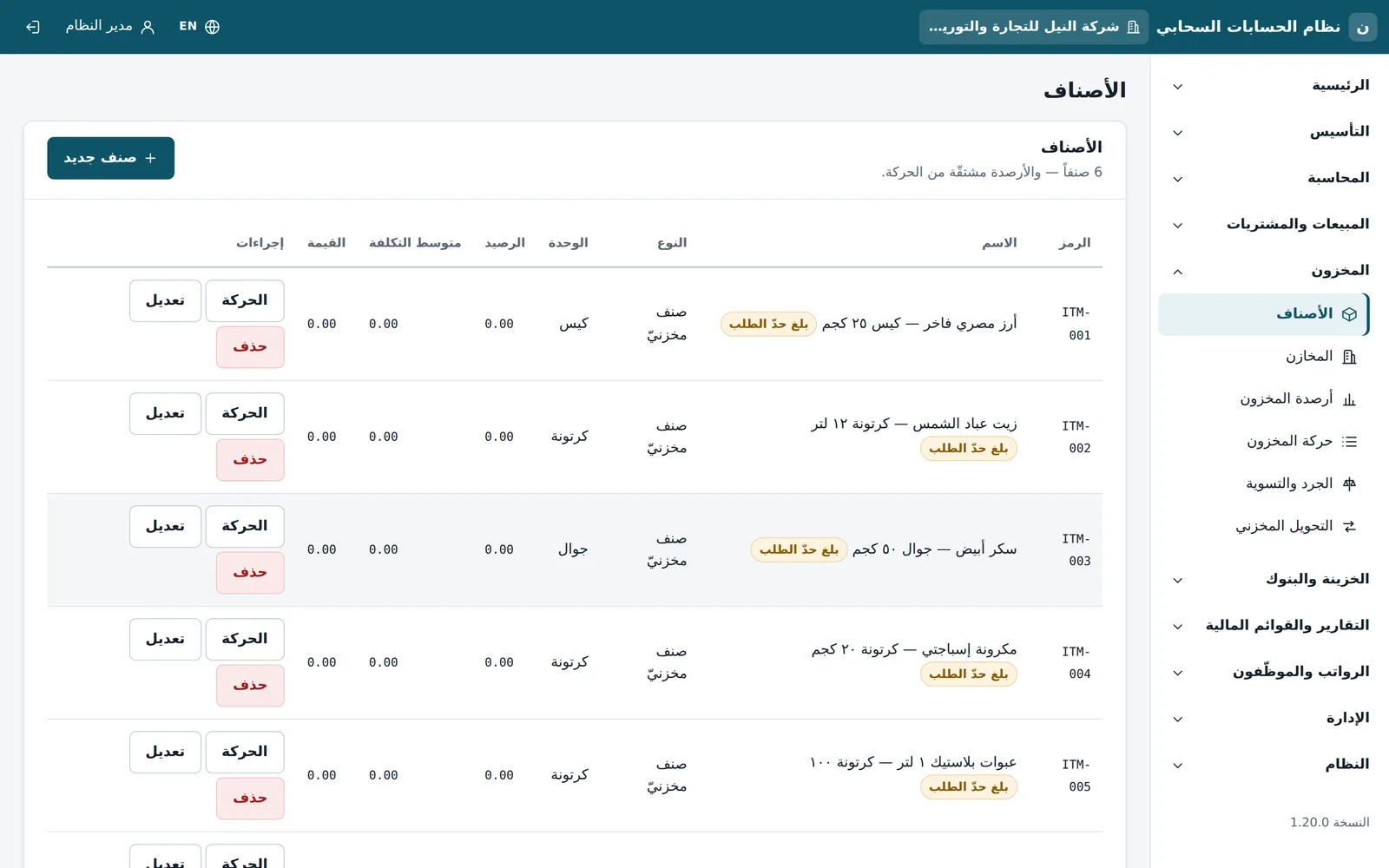
Inventory
Items with their units, and balances derived from movements rather than typed in.
- Balance, average cost and value per item
- Reorder-level alerts
- Warehouses, transfers, stocktakes and adjustments
-
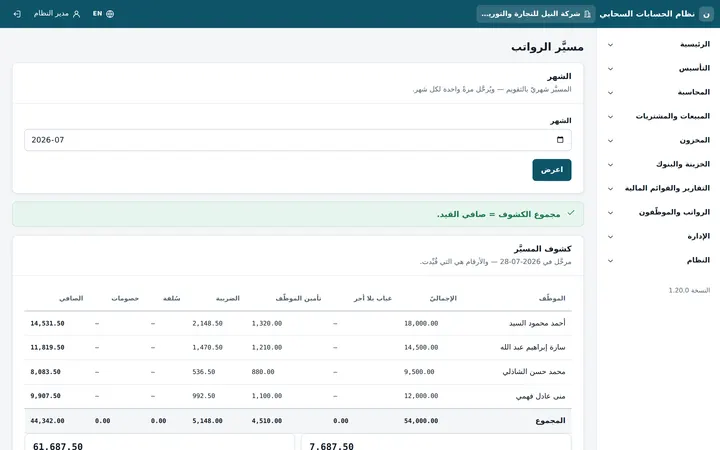
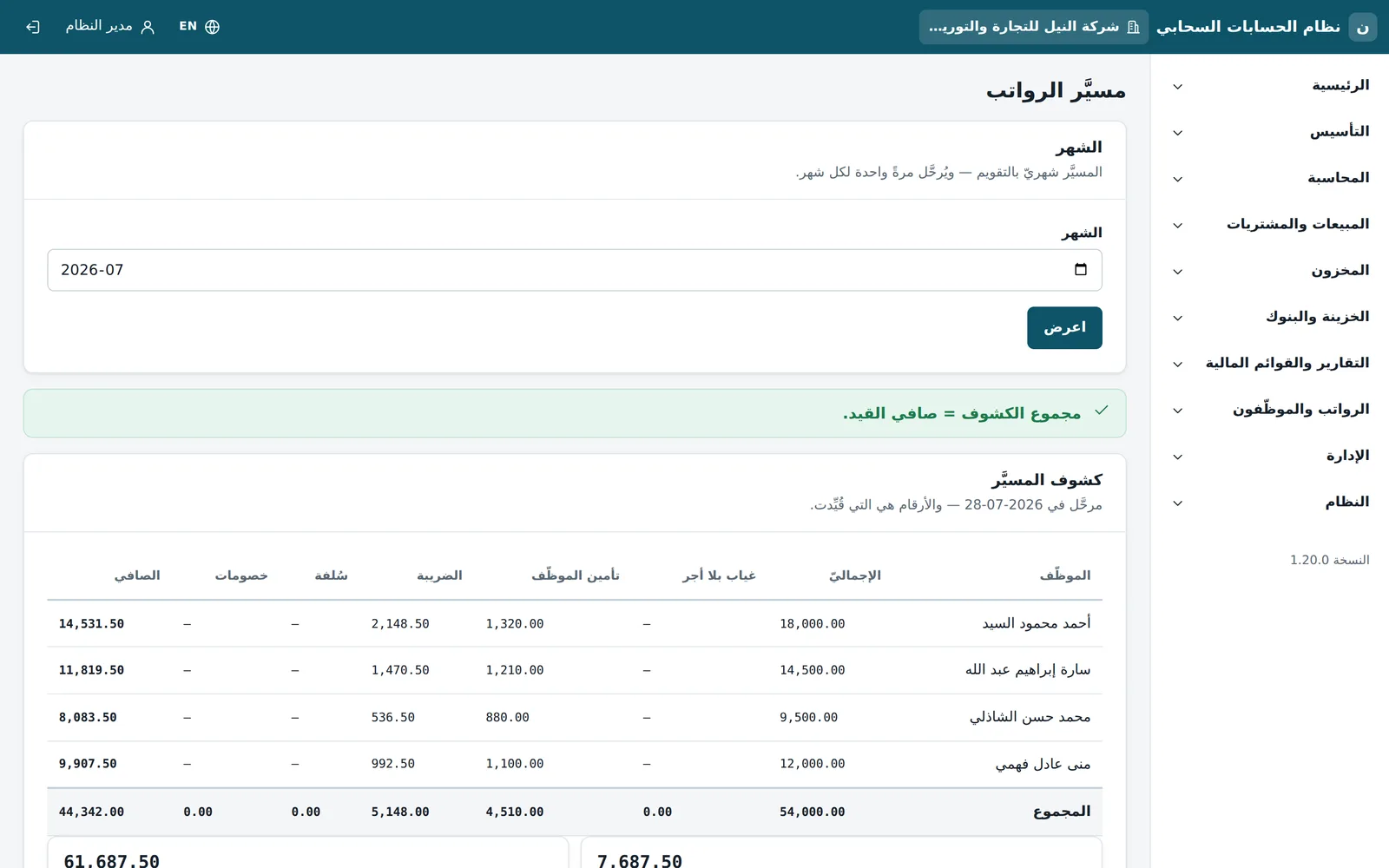
Payroll run
Payroll is part of the books themselves, not a side spreadsheet.
- A monthly run with gross, employee insurance, tax and net
- Posted once per month
- An automatic check: total of the sheets = net of the entry
-
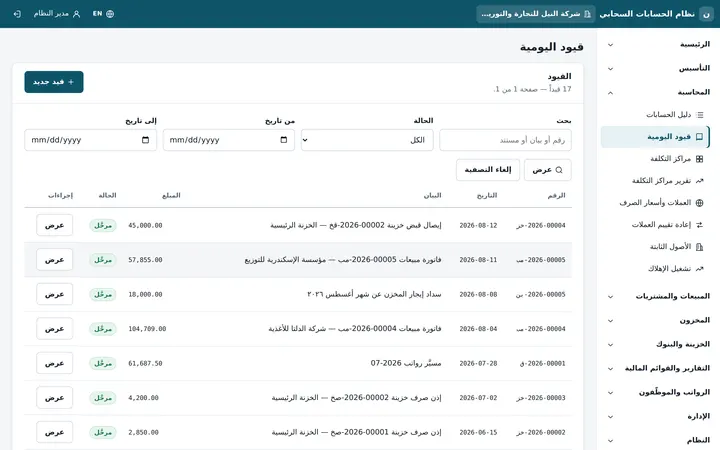
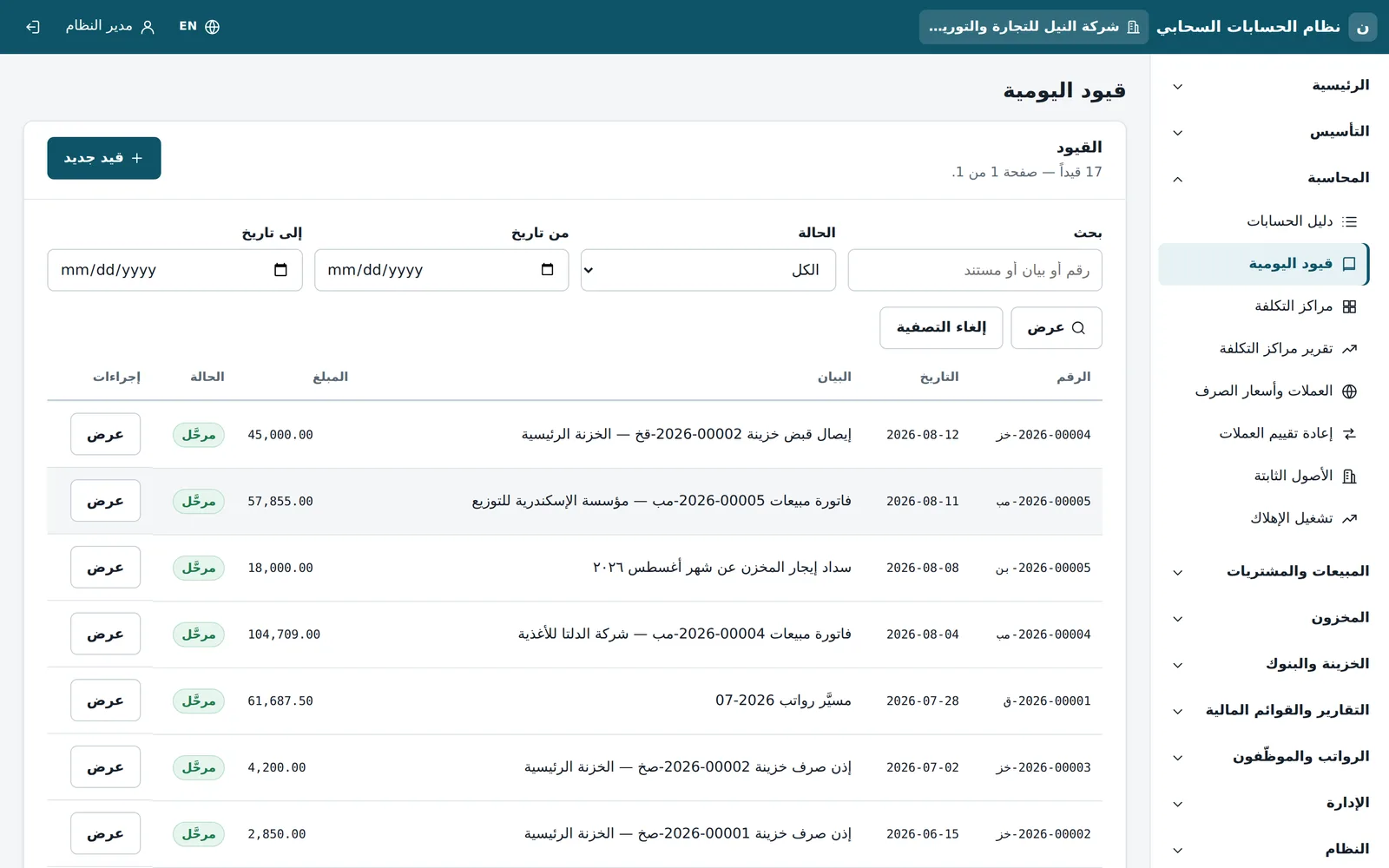
Journal entries
An entry is balanced or rejected: debits that do not equal credits cannot pass.
- Search and filter by status and date
- Entries from invoices, vouchers and payroll show their source
- Cost centres, currencies and revaluation in the same accounting section
-
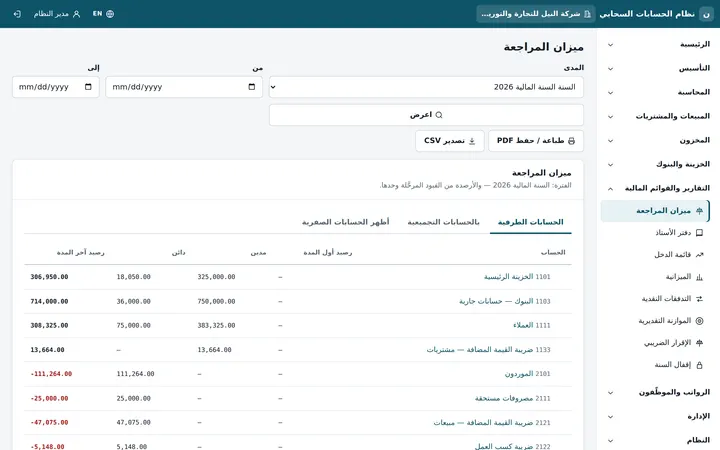
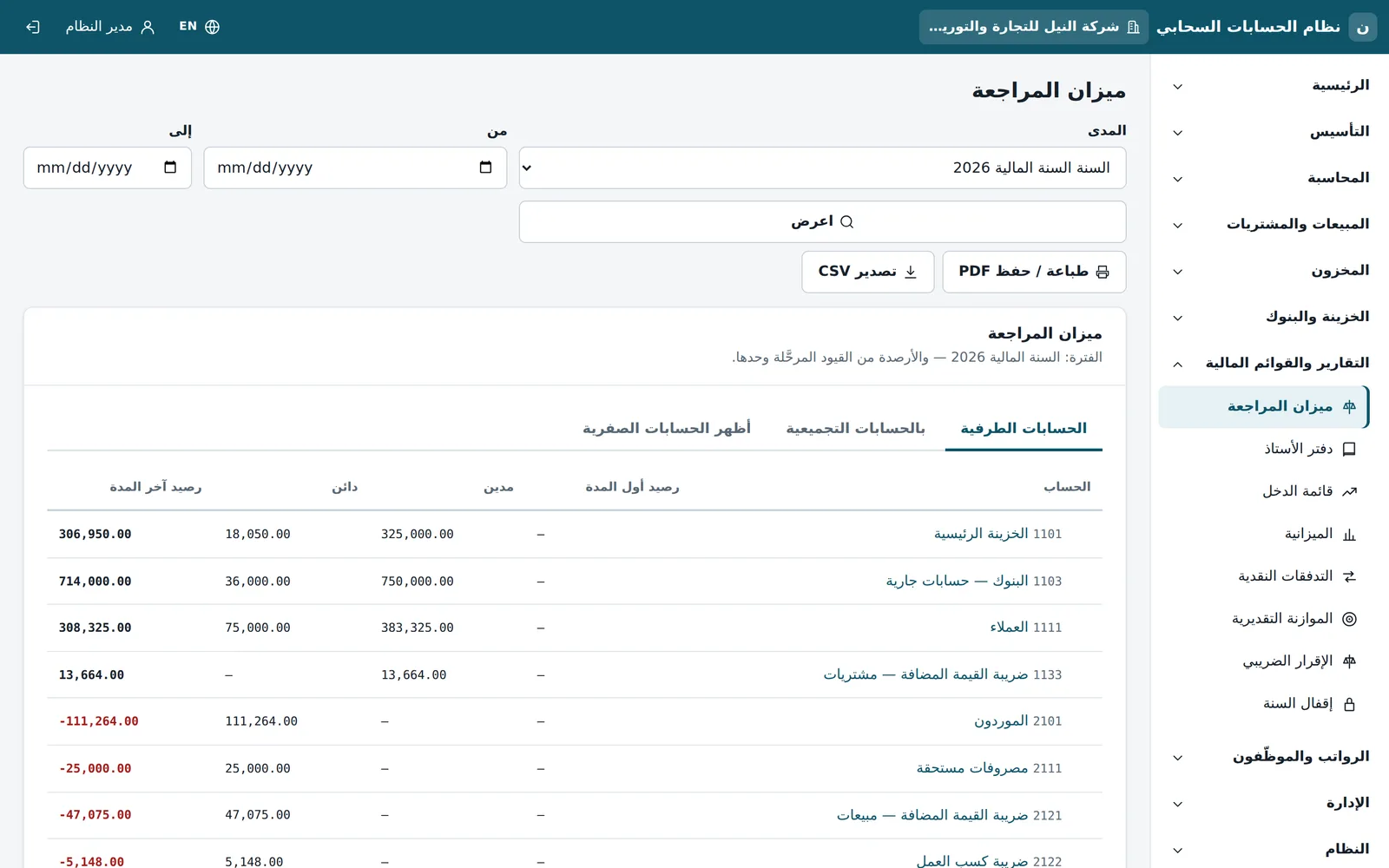
Trial balance
The trial balance reads posted entries only.
- Opening balance, debit, credit and closing balance
- Posting or summary accounts, with zero-balance accounts on demand
- PDF print and CSV export, with the general ledger in the same menu
-
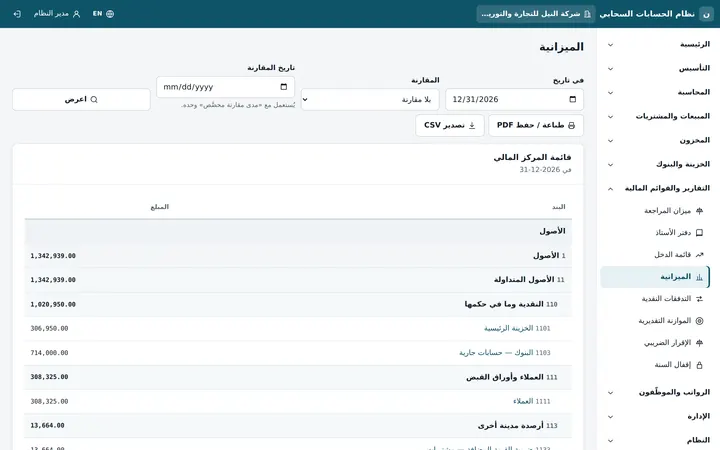
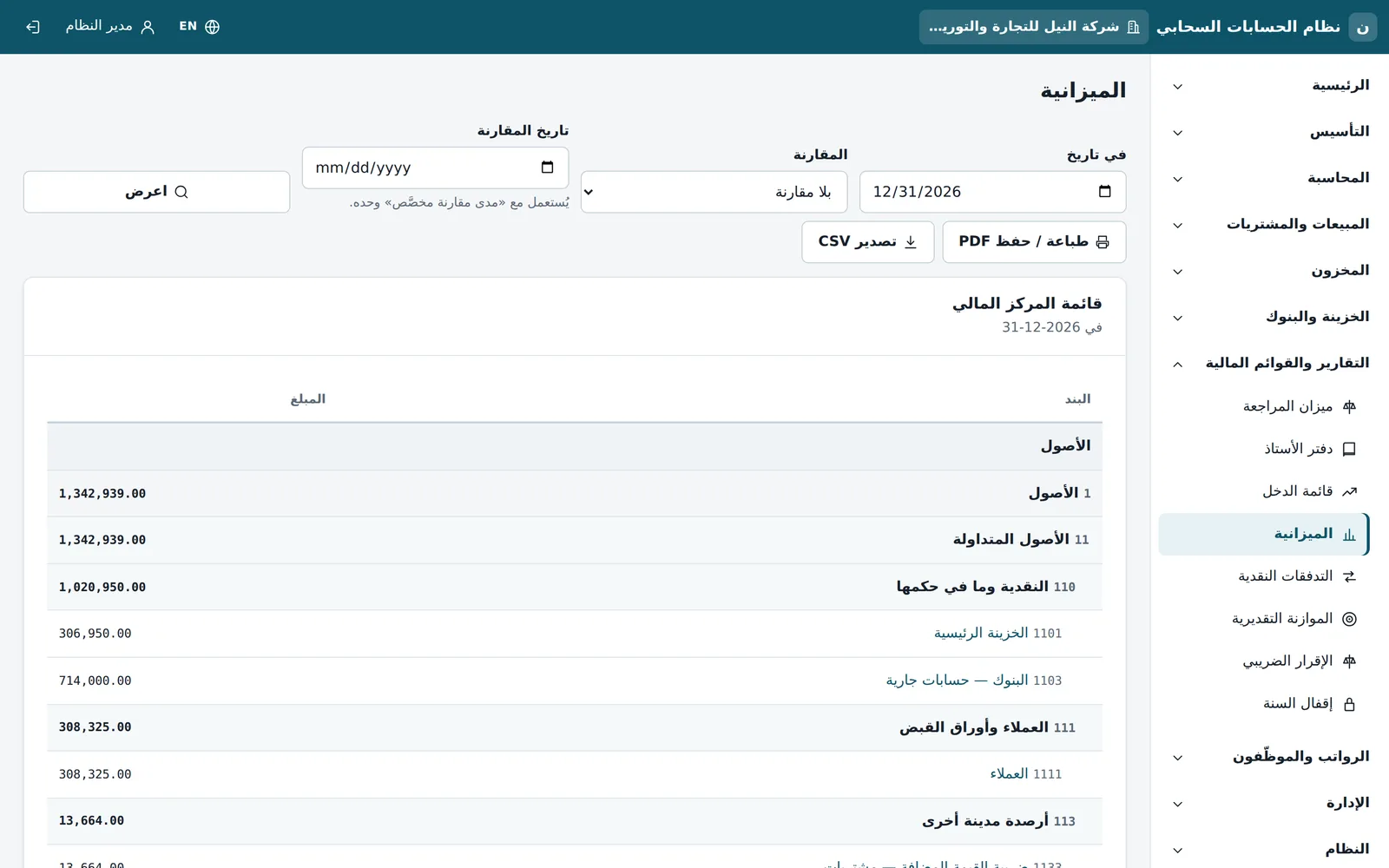
Balance sheet and statements
The statements come from the same grouped chart of accounts.
- Statement of financial position at any date, compared with another date
- Income statement, cash flows and budget
- Tax return and year-end close from the reports section
Also in Daftrix
Egyptian chart of accounts
A ready five-level chart seeded per company, with fiscal years, periods and a governed close.
Several companies
Each company isolated with its own data, switched from the same account.
Fixed assets and depreciation
An asset register with depreciation entries posted automatically.
Cost centres and budgets
Cost-centre allocation and a budget-versus-actual report.
On a phone
The same interface adapts to a phone screen: the dashboard and lists in your pocket.
Try 14 days free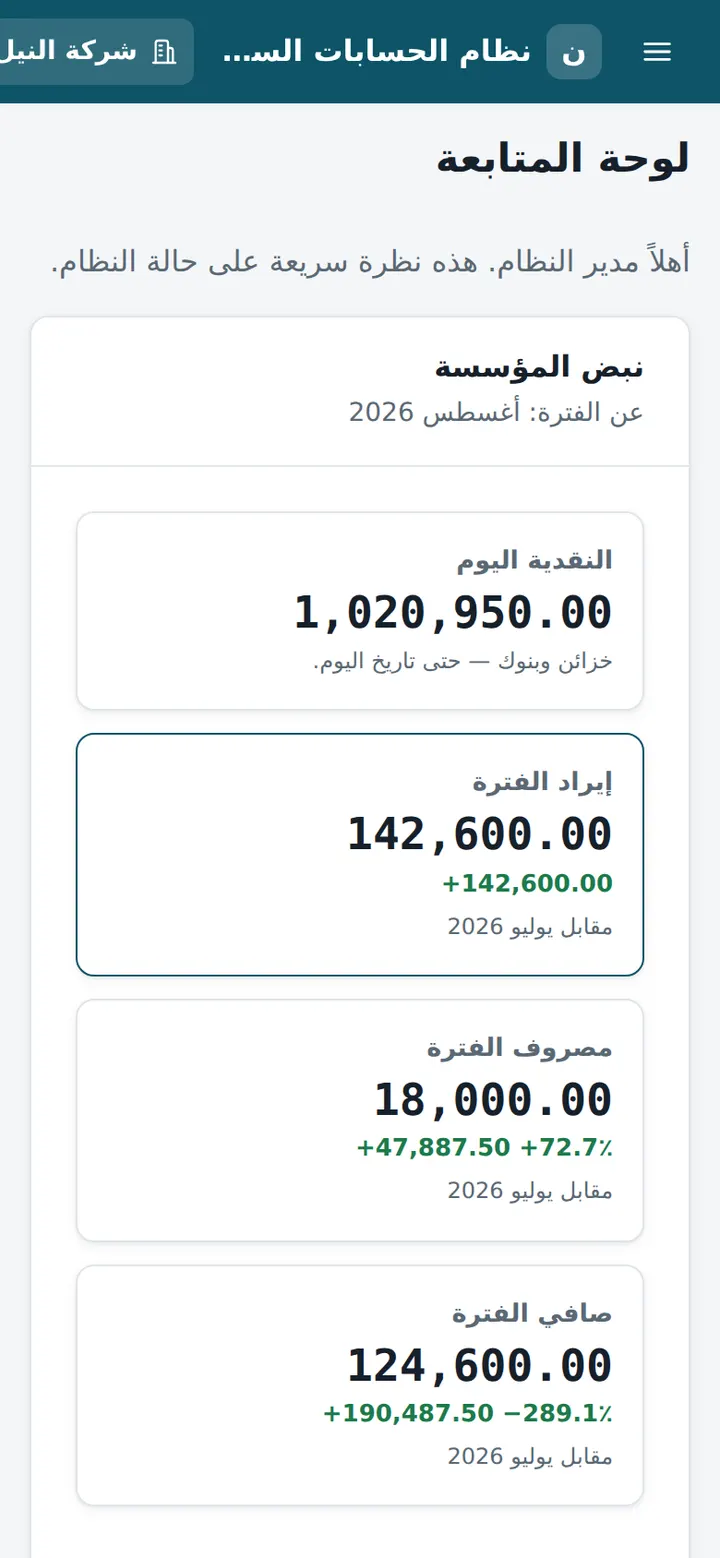
Your books on Daftrix, free for 14 days.
Try the full system on demo data, or request a quote to buy a perpetual licence for your own hosting.